Create new 500x500px transparent document.
Filter->Render->Clouds
Filter->Blur->Motion Blur, use these settings:
Angle: 0
Distance: 999
Filter->Stylize->Find Edges
Duplicate layer.
Edit->Transform->Rotate 90cw.
Set blending mode to darken.
Merge layers.
Filter->Stylize->Glowing edges with these settings:
Edge Width: 1
Edge Brightness: 20
Smoothness: 3
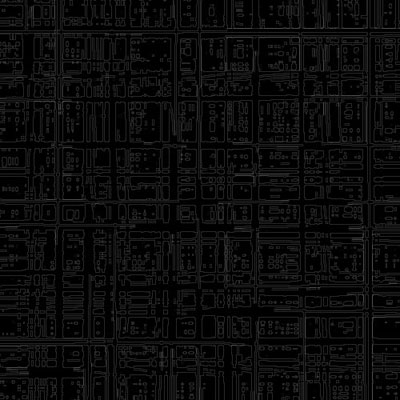
Image->Adjustement->Brightness/Contrast
Brightness: 0
Contrast: +40
Image->Adjustement->Hue/Saturation:
Colorize-checked
Hue: 180
Saturation 100
Lightness: 0
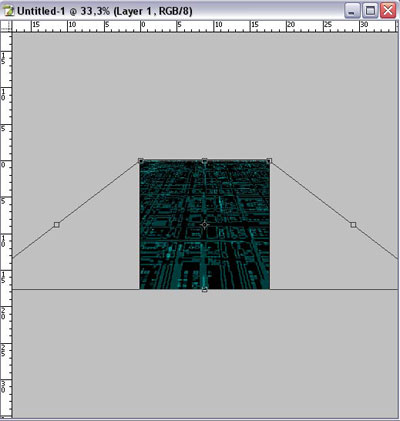
Zoom out layer (ctrl-) and Edit->Transform->Perspective.
(If your background layer is locked, double click it on the layers palette to unlock it)
Duplicate layer.
Filter->Blur->Gaussian Blur (Radius 4.4)
Set layer blending mode to screen.
Merge layers
Create new 500x500px transparent document and repeat all this.
Paste into a previous document.
Switch to bottom layer and do
Filter->Render->Lighting effects
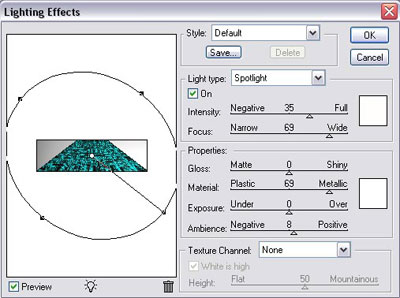
Switch to top layer, change opacity to 50% and set blending mode to lighten.
And here`s final result: