

Learn to create your own stylish font. It's fun because you can go more creative by making your own font.
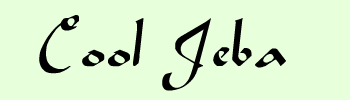
Here is what we are going to create

Let's begin :
Step 1: Start a new document and enter the text.
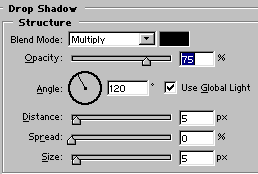
Step 2: Let's add some shadow and inner glow to give it that velvet effect. To add shadow go to : Layer>Layer Style > Drop shadow and make the following settings

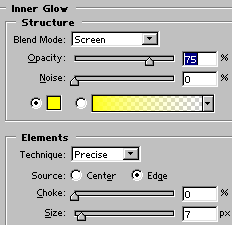
Step 3: To add inner glow go to: Layer>Layer style> Inner Glow and make the following settings
That's it and we are done.
