1. First of all Press the 'T' button and then write some text in color any color is fine.

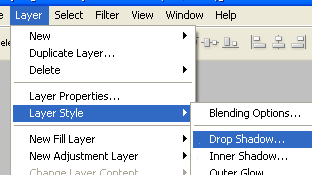
2. Then click on Layer / Layer Style / Drop Shadow:
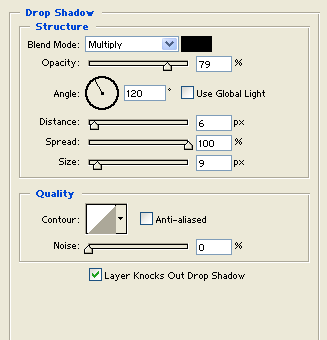
3. And use these options:
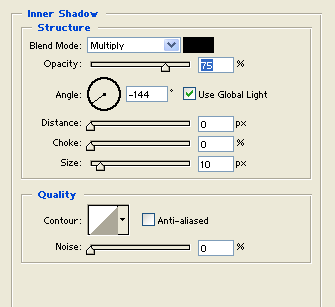
4. Then Inner Shadow:
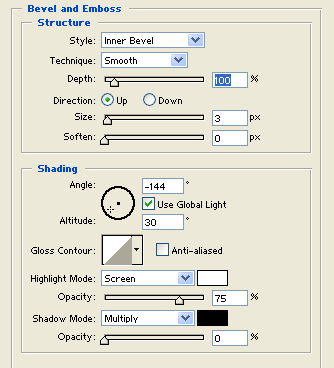
5. Select the Bevel and Emboss and use these options, select the Contour and leave the same options:
Your 3D Text effect is complete: