

1. First open an image in adobe. I use this pic. Any picture is nice if it has lots of depth and detail.
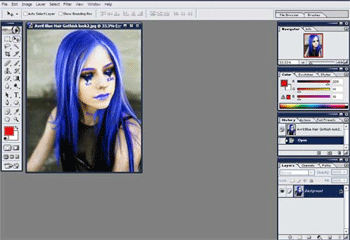
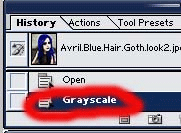
2. Second change your pic into a grayscale. Image->Mode->Grayscale.
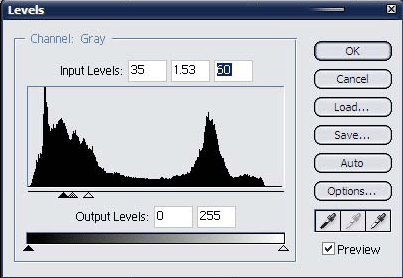
3. Edit the levels Image->Adjustments->Levels.
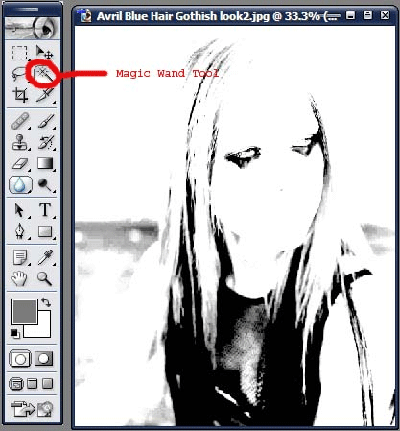
4. After editing the picture so that all u see is some unique shapes.
5. Use your magic wand tool to select the part of the picture you want.
6. After selecting the part u most desire open a new document File->New.
7. Select your image and then go to Edit->Define Brush.
8. now u can use your brush by clicking on the brush tool then looking for the brush.
9. To make it easy click on the arrow at the top right corner and change the view to small thumbnail.
