This tutorial was written for the Flash Designer software, which allows you to create flash animations in a much easier way than by using Macromedia Flash. You may get Flash Designer here.
This tutorial demonstrates how to add a delay between animation effects.
|
Delay 0.2 sec |
Synchronized (delay 0 sec) |
To control delay choose "Frame" > "Animation Properties" and enter delay (in seconds) to be added between each animation effect in "Animation Intervals" field.
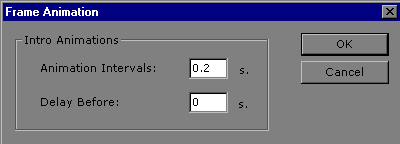
By default "Animation Intervals" is 0 (no delay)
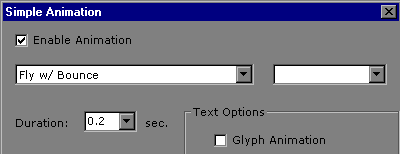
The above intro animation was defined for each item by "Item" > "Intro" > "Intro Animation" command (effect "Fly with Bounce", duration 0.2 sec):