


1. Create a new document or open one which you wish to add text on.
2. Find a place where you want the text to go and get out the pen tool. make sure you have the same settings as me, it's important.

3. Now draw where you want the text, see my example. Once you have drown your line click the text tool and hover over the link, you will see a little odd icon. Click then type your text.
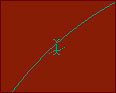
4. Once you have typed your text click on another layout and the line below should disappear. Just simply add some text effects and put it onto a sig or a website banner. It should look something like this

Here is a sig I made. It uses the curving text effect which you should be able to do now, very easily.
