1. Start with making a new image 150x150pixels with transparent background.
2. Get out the Elliptical Marquee Tool and make a round selection within it.
3. Fill the selection with white and go to blending options.
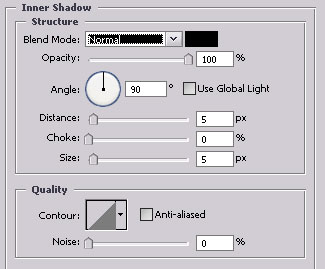
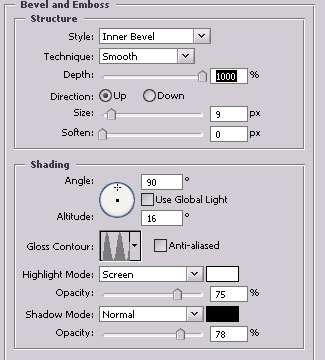
4. Make a new selection in the white are you got and fill it with white in a new layer.
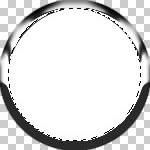
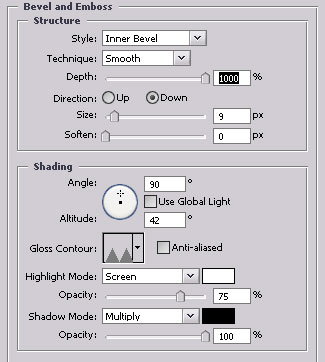
5. Open blending options and use these settings.
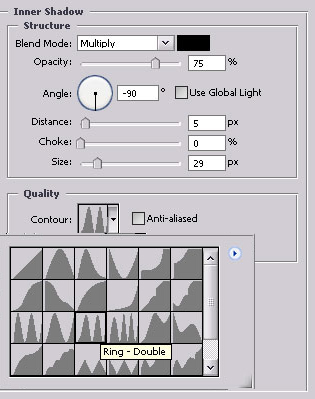
6. Make yet another selection inside the "rings" that you have and fill it with white in a new layer.
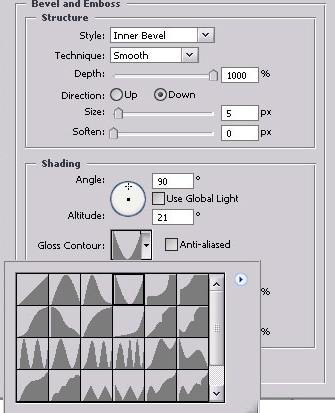
7. Open blending options and use these settings.
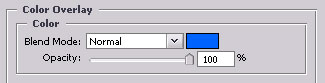
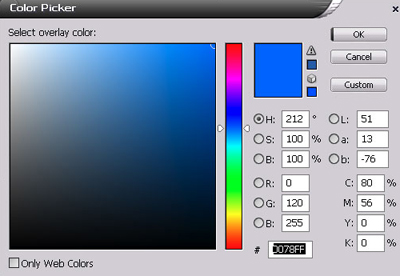
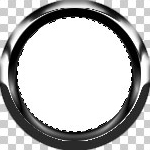
Now you'll have something like this:

8. Now make a new selection inside the blue area and take out the gradient tool.

9. Create a new layer and press D once and X once for color adjustments.
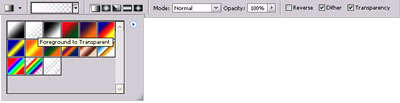
Use these settings.
10. Make a small gradient in the new layer that you just created and start
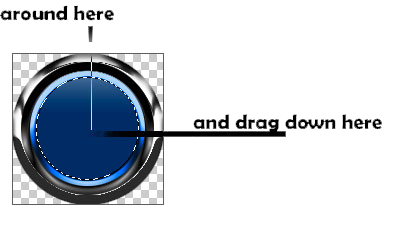
11. Add a small text and now you're done!