


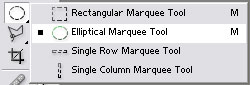
Using your elliptical marquee tool shown above. Hold shift and create two full circles with their own layers.
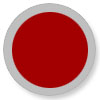
Make the one behind gray and the one in front what ever color you would like the orb to be.

On the gray circle use these settings:
Drop shadow:
opacity: 23 percent
angel: 80 degrees
Stroke:
1px and black
opacity: 25 percent
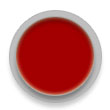
Drop shadow:
opacity: 39 percent
angel: 90 degrees
Inner shadow:
Outer glow: 29 percent
Angel: 90 degrees
Inner shadow
Opacity: 54 percent
Stroke
1px black
Opacity: 35 percent
Now again with the elliptical Marquee tool draw a shape like this and fill it with white then on the layers palette. Set the fill to something like 30 percent.
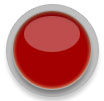
That's it. Play around with the settings you might find some more better than others.
