

You can create a unique style Menu Bar for your website by your own.
Design the Base:
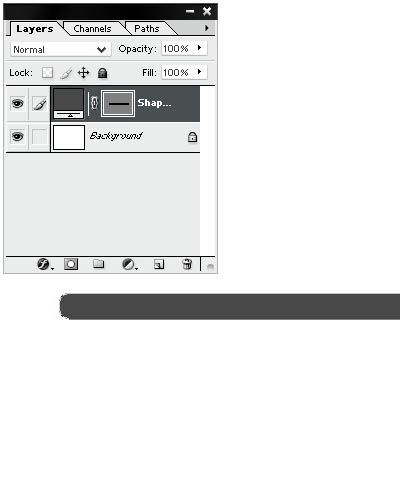
Open a new document in Photoshop (Ctrl+N). Select Rounded Rectangle tool (U) and use shape option. Draw a rounded rectangle. Select the Elliptical Tool.
Adding Reflection to the Top
Now add some highlights to menu mar to give the appearance of a reflective bar. Create a new layer (Ctrl+Shift+N) and draw a large circle selection at the half of the bar.
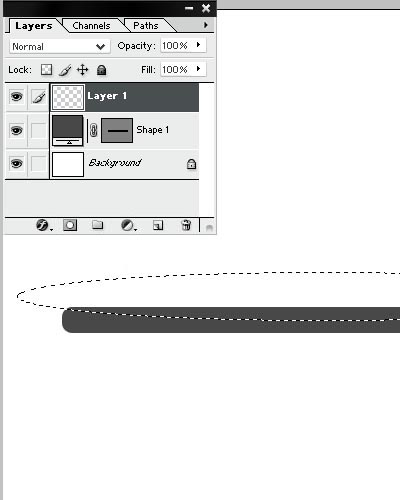
Fill the circle with a white color. Set Overlay Blending Mode and make the opacity at 50%. You'll get something like this:
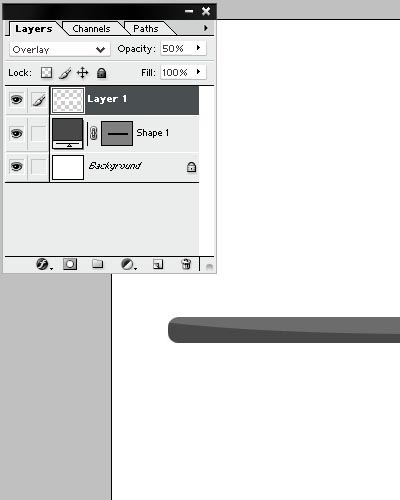
Select "Layer 1" and duplicate it (Ctrl+J). Move the copy at the bottom of the bar.
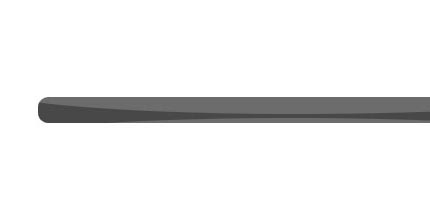
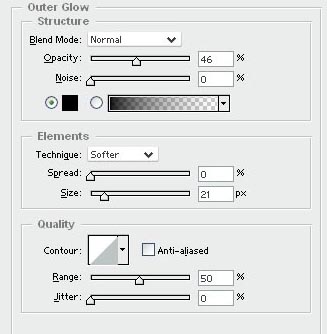
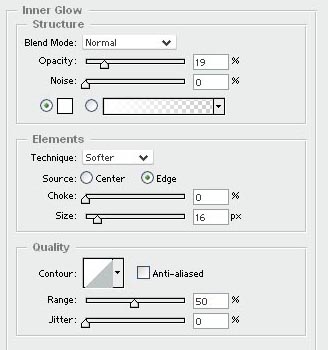
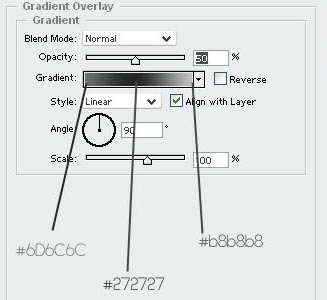
Now go to the Blending Options of the bar and make such settings.
#Final step
Now it's time to add some text. Here is the example of the bar:

I hope this tutorial was useful for you!
