 |
1. Open an image for editing. Copy the image (Ctrl+C) and paste as a new layer (Ctrl+L). |
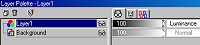 |
2. Open the layer palette and change the blending mode of layer 1 to Luminance. |
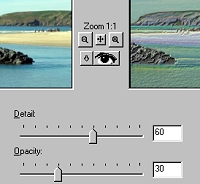 |
3. Go to the neon glow (Effects> Artistic Effects> Neon Glow). Set detail to 60 and Opacity to 30. |
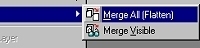 |
4. Merge the image (Layers> Merge> Merge all (flatten)). |
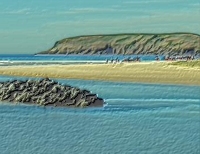 |
5. Final image. |
Her
Pastel Effect
Added:May 08, 2006 Rating:


 Level: Beginner Software:
Paint Shop Pro
Level: Beginner Software:
Paint Shop Pro
Level: Beginner Software:
Paint Shop Pro
