Concept: Channel mixer is suppose to be one of the best photoshop option to get grayscale image.
1. Open an image.

2. Image > Adjustments > Channel Mixer
Select Monochrome. The output Channel will turn to gray.
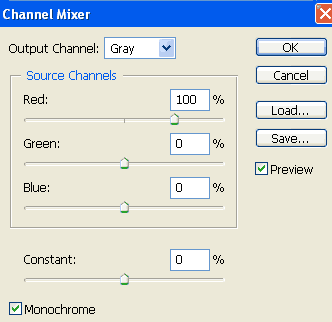
3. You will get the following result.