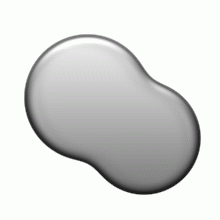
1. Create a 600x600 pix file, white background.
Use your imagination, create a shape that you want with selection tool, fill in #E6E6E6 color.
CTRL+D to deselect

2. Now follow the diagrams below, add layer styles to the shape.
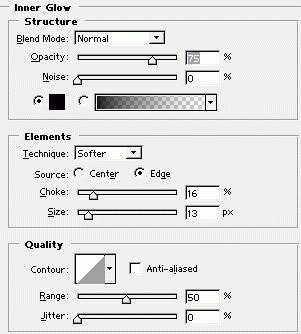
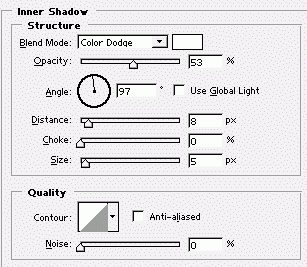
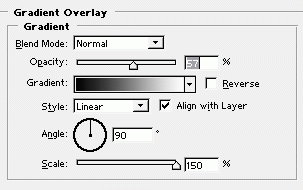
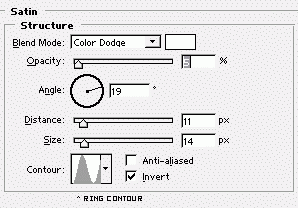
Finally you should have a nice piece of smooth metal like this.