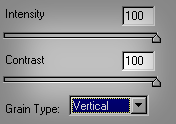
Make a new document. Be sure to check 'White Background.' Go to Filter > Texture > Grain.
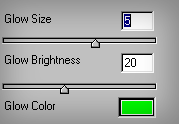
When done, go to Filter > Artistic > Neon Glow.
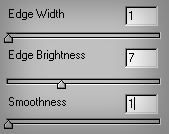
Next, go to Filter > Stylize > Glowing Edges.
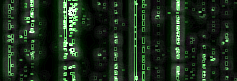
This should be your end result. You can now animate it, or create a seamless tile background for it.