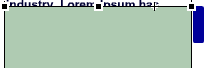
Here's an example of the smooth scrollbar:
1. Make a new 200×250 flash document.
2. Go to: Insert->New Symbol->Movie Clip, and name it button.
Again, go to: Insert->New Symbol->Movie Clip, and name it txthld.
Once more, go to: Insert->New Symbol->Movie Clip, and name it mask.
And for the last time, go to: Insert->New Symbol->Movie Clip, and name it container.
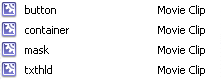
Now, in the library, you should have four movie clips:
3. Double click on the button movie clip.
Now, using the rectanlge tool, draw a rectanlge. (this will be the scrollbar's button)
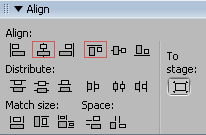
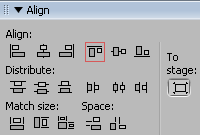
Then with the align tool, align the rectangle to the center, then align the rectanlge's top edge to the movie clip's center:

4. Now, double click on the movie clip that you named: txthld.
In this movie clip, you'll put the content you want to scroll.
note: please make sure you center it. with the Align tool:
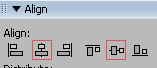
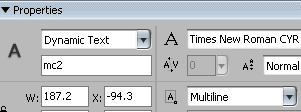
Once the Dynamic textfield is correctly centered, make sure you set its Line Type to: Multiline, and give it "mc2" for its instance name
5. In the library, double click on the movie clip you named container, then drag&drop the movie clip button, in to it.
Place the movie clip button to the top-right corner:
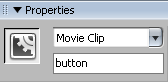
And give it the instance name: button:
Add this following Actionscript to the movie clip button
| onClipEvent (load) {
_parent.mc2.mc2.autoSize = true; //so that the textbox autoresize itself _parent.mc2.mc2._y = -_parent.mc2.mc2._height/2; //once the textbox autoresized itself this will replace it on the center this._x = Math.round(this._x); //this roundup the position of the button on the x-axis. Thanks Chris! a = this._x; b = this._y; } on (press) { this.startDrag(false, a, b, a, _parent.mask._height-this._height); //when pressed, the button can be draged in the mask } on (release) { this.stopDrag(); } // These following lines are just to make sure IE don't bug on (releaseOutside) { this.stopDrag(); } |
6. Now drag and drop the Movie Clip txthld
First align it horizontally, so that txthld is next to the scrolling button:
Then give the movie clip: mc2 as its instance name:
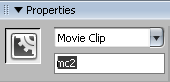
7. Now, add this Action script to the first frame of the container movie clip:
| speed = .7;
mc2.setMask(mask); //sets the mask createEmptyMovieClip("mc1", this.getNextHighestDepth()); //creates an empty movie clip setInterval(smoothscroll, 40); function smoothscroll() { mc1._y = speed*(mc1._y-(button._y+mc1._y* (button._height/mask._height)))+ (button._y+mc1._y* (button._height/mask._height)); mc2._y = (1-mc2._height/mask._height) *mc1._y+mc2._height/2; } |
Your timeline should look something like this:
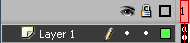
8. Now the last step.
Double click on the movie clip "mask", draw a rectangle (of any size you want) with the rectangle tool.
Double click on the movie clip "container", and drag&drop the mc "mask" into it.
Give it "mask" as its instance name:
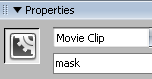
Align the mc "mask"'s top edge with the align tool:
Lastely, with the Free Transform Tool, resize the mc "mask", so that the mc "mask" covers the area you want the text to appear