1. Open a new document 200 x 200 with transparent background. Then with your Rectangular Marquee Tool make a shape, not very big about 20 x 20 and fill it up with (#BACE6A).
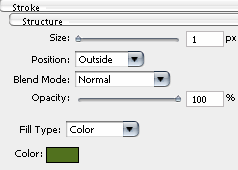
2. Then go to Layer- Layer Style and choose Stroke. Here set everything just like i did and the color is (#51711E).
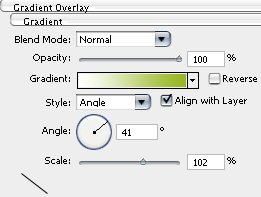
3. The next Style is Gradient Overlay . You need to set the gradient from #FFFFFF to #BACE6A and the rest just like below.
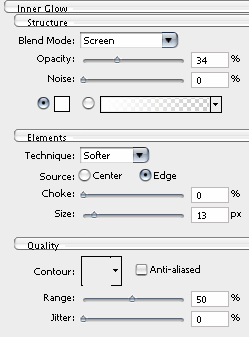
4. Now move on to Inner Glow and set everything like i did.
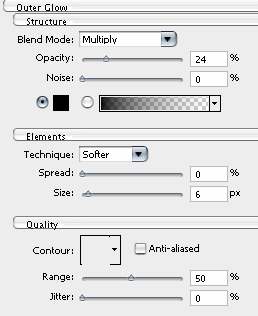
5. The next and the final Style is Outer Glow.
6. The Rectangular should look like this now.

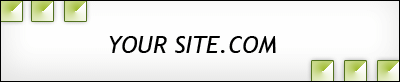
7. Now open a new document 487 X 80 and fill it up with #FFFFFF. Now drag the Rectangular in the new document like this:
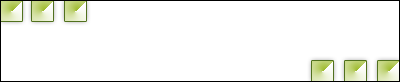
8. And the last step is to add some title to our header and we are done. Mine looks just like this.