

First of all write your site name just simple on a black font, and then add a blue line under it as shown in the image:

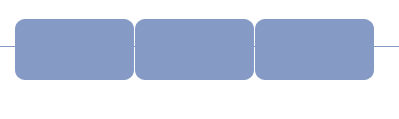
Click on the Rounded rectangle tool and add three buttons add the left like:
Click on Layer/Layer Style/Blending Options :
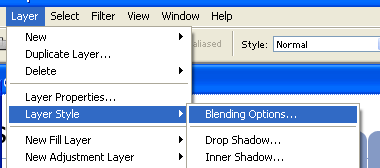
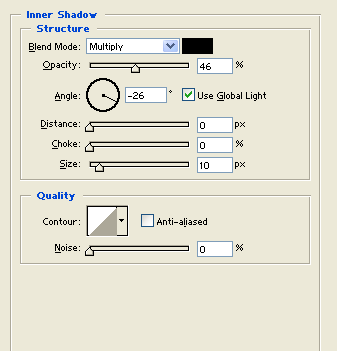
Apply the Inner Shadow first:
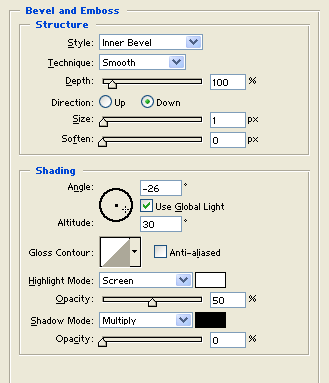
Now Bevel and Emboss:
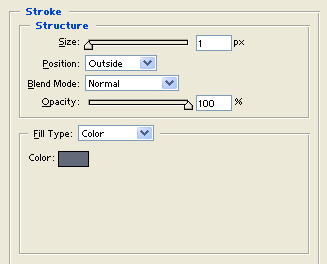
Add the Stroke and click on OK.
And the button should look like:
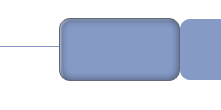
Add that style to all the other buttons and add another Rectangle Over the buttons:

Click to enlarge
At the bottom of that rectangle add another Rounded Rectangle Tool there like:

Now add your text and content in the layout and that's done.. Enjoy! have fun. :)
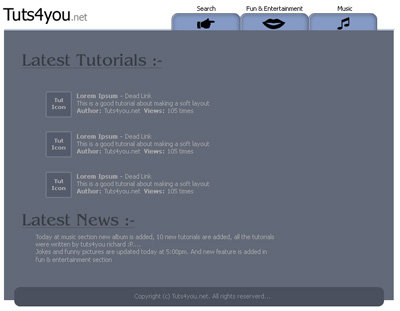
Click to enlarge
