Create an ellipse using elliptical shape tool. Rotate a bit.

Create a rounded rectangle using rounded rectangle shape tool. We used a corner radius of 30.

Place it as shown.

Press Ctrl+J to duplicate this layer and place it on the other side.

Create a rectangle using rectangular shape tool.

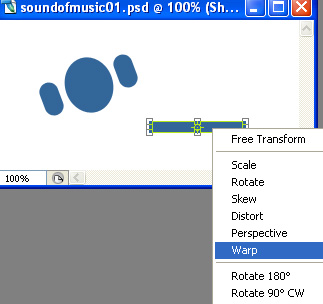
Press Ctrl+T. Right click the layer and select warp.
From the preset warp shapes at the top bar, select arc.
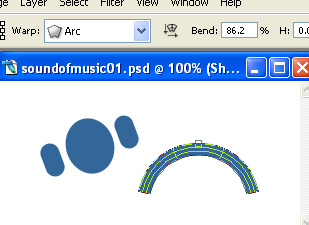
Scale the shape horizontally. Rotate and place as shown.

Select the headphone ears layers and fill with a different color.

Type "S" with a reverse color and place on face ellipse.

Type rest of the company name in a new layer.

Underline the text using line tool.

Type punch line with a smaller font size and place below the company name.