Start by creating a new file. Fill it with a nice gradient.

Type "COOL" with a bold font.

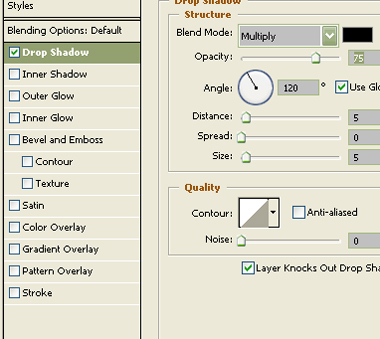
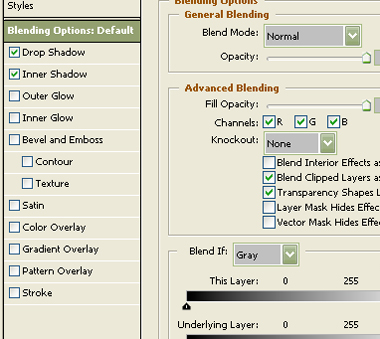
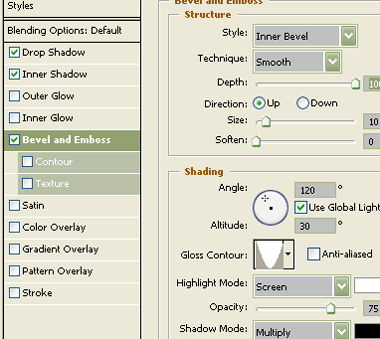
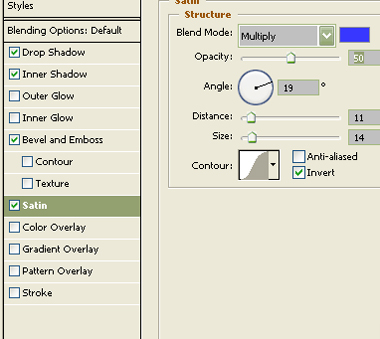
Apply following layer styles to the text.

Duplicate this layer and remove the effects from the duplicate layer.

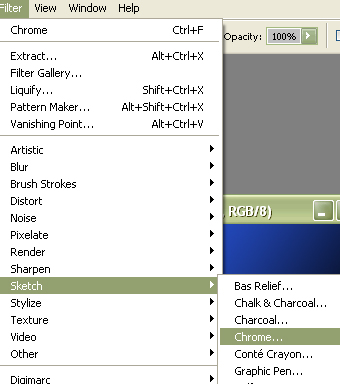
Apply filter>>sketch>>chrome.
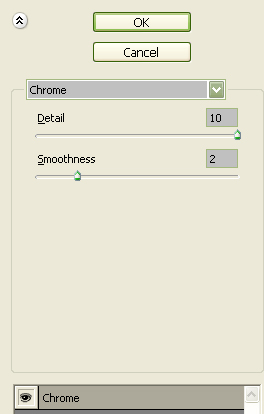
Use settings as shown.

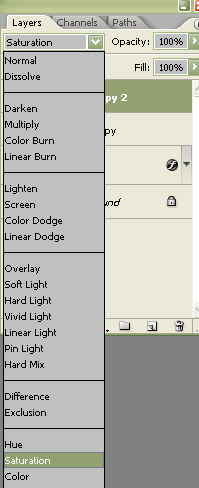
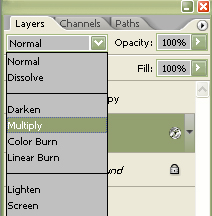
Change the layer mode to multiply.

Duplicate the layer and change the layer mode to saturation.