Create a new document of any size, I used 400x100px. Select your foreground color, I used #129CD6. Type some text using the Horizontal Type Tool.
Add Stroke layer style using these settings:
Size: 1
Position: Outside
Color: Black
Go to Bevel and Emboss and apply these settings:
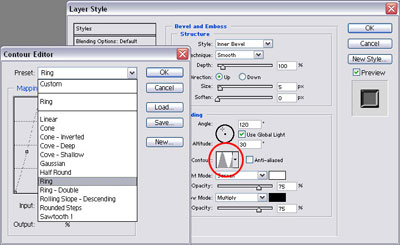
Click to enlarge
Here's what I've got: