

This tutorial with guide you through how to make a simple pixel navigation buttons, which can be used throughout your site:

1. Create a new document however big you want your button
2. Either use a solid background or a gradient.

3. Zoom in if you have to and use the single line marquee tool.
4. Now create a horizontal line at the top and a vertical line on the left and fill with white on a new layer.

5. Now do the same but use black on the right and bottom on the same layer

6. Set the layer opacity to 20%
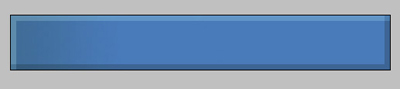
7. Using the rectangular marquee tool select the bottom left and top right corners and fill with #888888 on the same layer to get this:
8. Add your text or images and you are complete. You can download pixel fonts from dafont.com
