1. Open Photoshop and create a new image. I am using 750x115
2. With the Pen tool draw a wavy line like so and go round the top of the canvas then fill it with black.

3. Right click the layer and select Blending Options. Use these settings:
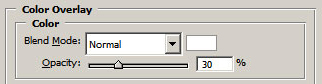
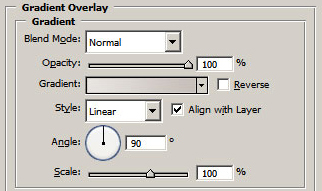
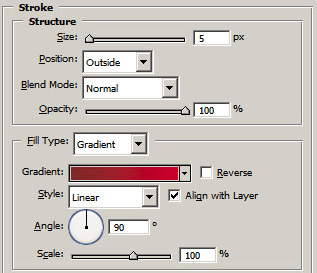
4. Duplicate the layer. Right click it and select Clear Layer Style.
5. Move the layer below the first layer.
6. Select the move tool (V) and move it down around 8px
7. Right click the layer and select Blending Options and apply this gradient overlay.
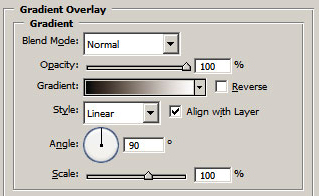
8. Ctrl + Click your first layer and delete the selection from your duplicated layer. You should have something like this:

9. Add your text and logo and you are done.

