1. Create a new document or open an existing document.
2. The effect looks best on bold thick text.
3. So type your text in.
4. Right click the text layer and select Blending Options.
5. Use these Blending Options:
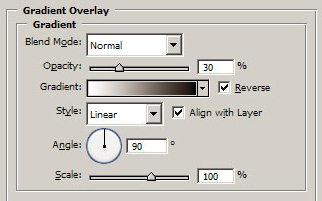
Default Black to White gradient.
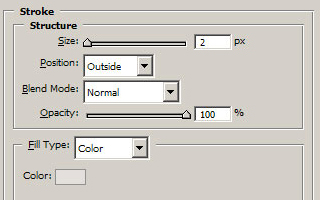
Colour set to #dddddd
6. Alternatively to add colour you can use a coloured gradient rather than black to white.