Create a new file ( File>New ) of 450x390 px with white background.
Create a new layer. Set foreground color to #9C2020. Choose Type tool (T) and with following settings
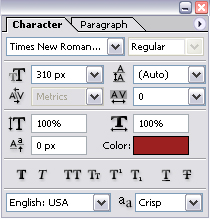
type the letter "L":

Set foreground color to #660809 and create a new layer. We are going to create a floral branch around the letter so you need to have some floral brushes.
Choose Brush tool (B) and make something like this:

Next we should delete unneeded parts of this branch. For this use Eraser Tool (E).

It's time for heart, symbol of St.Valentines Day.
Create a new layer. Choose Custom Shape tool (U) and choose the heart shape.
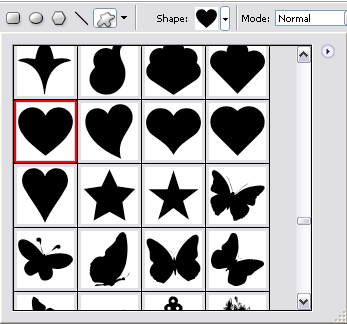
Draw a heart shape near the letter:

Next we should add volume to the heart. At first, use Dodge Tool (O) with following settings:

Make the protruding parts of the heart lighter:

And with the help of Burn Tool (O) make other parts darker using the following settings:


And the last step. Use Sponge Tool (O) to deprive the color of some parts of this shape.


Next repeat the process of creating the heart again or simply copy the layer with the heart and create a smaller heart:

Next set the foreground color to white, create a new layer and press Ctrl+G to create Clipping mask. Choose Type Tool (T) with the following settings:
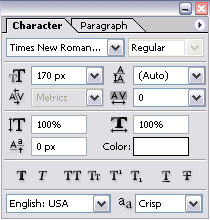
Type letter "V".
This is my result so far:

Create a heart with letter "E" the same way:

That's it. I hope you liked this tutorial.
- 50 Tender Valentine's Day Gifts Ideas for Geeks
- How to Create a Beautiful Personalized Digital Valentine
- St Valentine's Day Photo Manipulation
- Romantic Heart Shaped Cookies for St. Valentine's Day Inspiration
