



To make this effect follow these steps:
Write something in any kind of playfull font. Use some kind of light gray color, i used #AEAEAE.
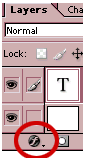
Now go to the "Layer Style" at the bottom of the layer pallette.
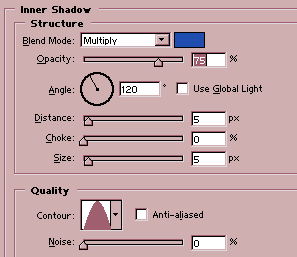
For "Inner Shadow" follow these settings:
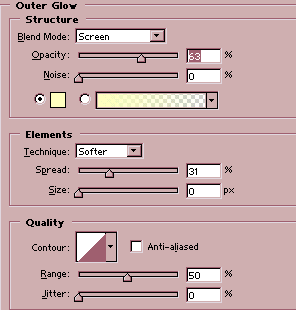
For "Outer Glow" follow these settings:
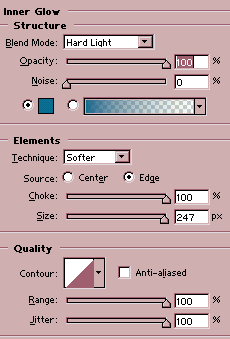
Add "Inner Glow" with these setttings:
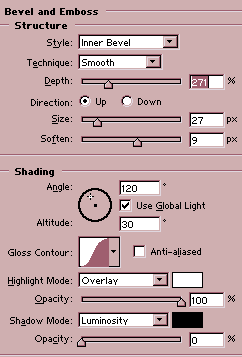
Add "Bevel and Emboss"
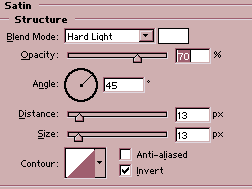
You are almost done with this but just a last step to follow. Add "Satin"
To give your font a chick and hard cut effect add a bit noise to it by
going to Filter > Noise and set the amount of the noise to 13 and Distribution
to Gussian.
