The first two steps are directly from my 'Abstract Boxes Tutorial'. This is an adaptation created by IndoSilver and me.
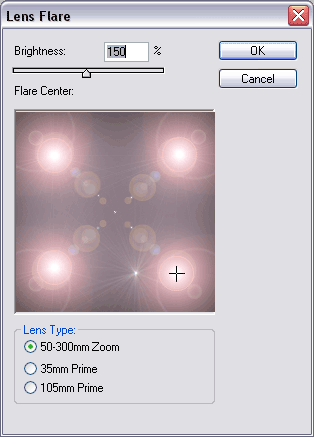
Step 1 Create a new image, and press D to set default colors . Fill in the background with black. Select the lens flare filter and create four lens flares in the corners like above.
Step 2 Select the wave filter , and use the above settings.
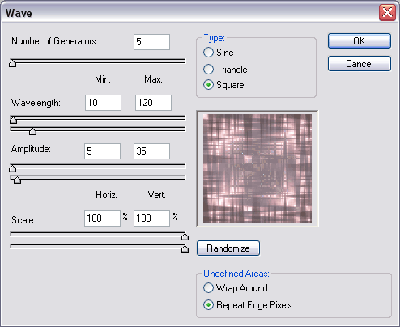
Click to enlarge
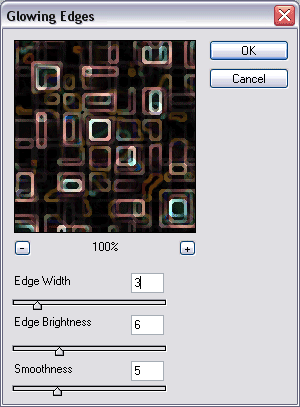
Step 3 Select the glowing edges filter and use the above settings.
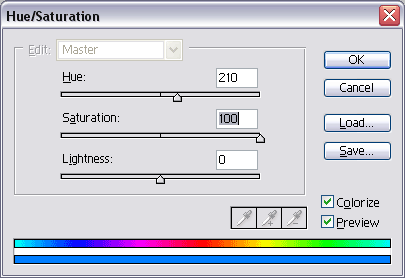
Step 4 Press Ctrl+U and use the above settings. Remember to check colorize!
Final Product