1. Open a new document or open your background where you want your image... i will open one new 300*150px with background Black
2. Then put your text do you want... it have to be white:

3. Ok the go to: Layer > Layer Style > Outer Glow... use this presets:
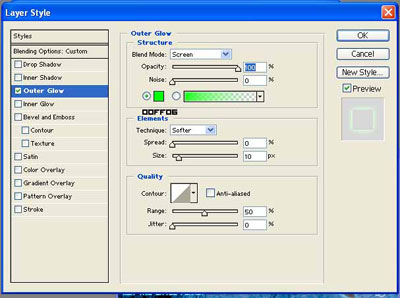
Click to enlarge
I'm using green but you can change the color
4. Then Duplicate the layer: Layer > Duplicate Layer
5. Then to the duplicate layer go to the blending options again and just change the color:
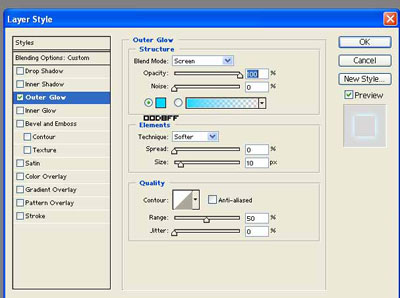
Click to enlarge
6. Once you finished change the Fill to 0% in the two layers:
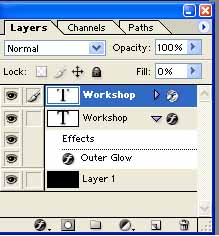
And that's all here is the final Result:

I use Grand Stylus.. Size: 60pt Anti-alasing: Smooth<-- you can find it in: dafont.com
Example: