Learn basic principles of website design.  Home Web Design Basics Design Principles Large Photo Background Websites

Large Photo Background Websites


Web design inspiration is always helpful, because looking at the creative works of others you can find your own creativity. There are obviously different approaches that you can use, it depends usually on the content and the concept, business or organization that the web site represents. One of such design approaches can be using a photo as a key element.

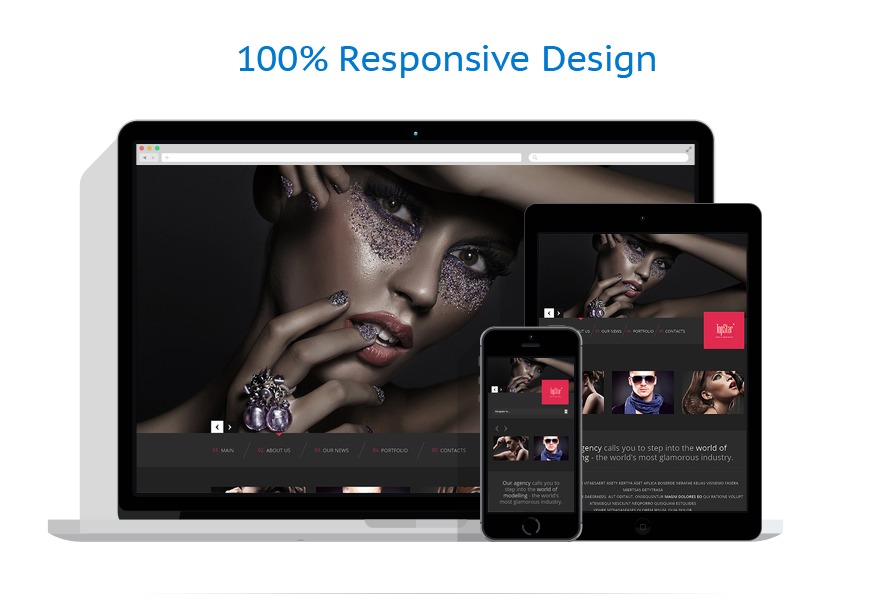
Large photos are becoming increasingly popular in web design, particularly acting as a background of a website. They can help quickly establish mood, color palette, and easily reflect the meaning and the purpose of a website. However, such photos tend to attract attention and it's important to have a really great photo in order to use it as a background, but you should remember that very often photos require some tricky photomanipulations. Besides, it's relatively harder to resize photos based on a user's browser size, some advanced CSS or, in some cases, Flash, is required to make everything look good.

As cool as the site is, this background is pretty catchy and innovative.

img

The unique background simply implies the content of this website

img

This background picture holds the mere idea of the site which is wining and dining.

img

I love the great concept that is put into this background. And with the additional customized thought bubble buttons you can't help but be impressed.

img

This amazingly edited background makes you curious as to what the website is about. Using minimal typography, the site concentrates on the story behind the picture.

img

img

Large background image can create the stunning visual effect, especially for high resolution monitors. It can also add more life to your site design compared to the traditional tiled background graphic.

img

img

img

Here you can find some tutorials how to apply background to your site:

Backgrounds In CSS: Everything You Need To Know

Basic Web Page Background Techniques with CSS

Perfect Full Page Background Image

How a Simple Layout Can Be Mixed 'n' Matched with Patterns, Photos and Backgrounds

How to: CSS Large Background

As always check ssome inspired templates:

Type: Xml Flash Site
Author: Cowboy
Sources Available:.SWF; .PSD;.FLA;.XML
Software Required:
Adobe Dreamweaver 8+;
Adobe Photoshop CS+;
For uncompressing a template ZIP package:
WinZip 9+ (Windows);
Stuffit Expander 10+ (Mac);
Adobe Flash CS3
Product Description:
HTML version is NOT included

Width:
1600px

img

Type: Xml Flash Site
Author: Oldman
Sources Available:.SWF; .PSD;.FLA;.XML
Software Required:
Adobe Dreamweaver 8+;
Adobe Photoshop CS+;
For uncompressing a template ZIP package:
WinZip 9+ (Windows);
Stuffit Expander 10+ (Mac);
Adobe Flash CS3
Product Description:
HTML version is NOT included
Width:
1920px

img

Type: Xml Flash Site
Author: Nessy
Sources Available:.SWF; .PSD;.FLA;.XML
Software Required:
Adobe Dreamweaver 8+;
Adobe Photoshop CS+;
For uncompressing a template ZIP package:
WinZip 9+ (Windows);
Stuffit Expander 10+ (Mac);
Adobe Flash CS3
Product Description:
HTML version is NOT included
Width:
1500px

img

Type: Xml Flash Site
Author: Sawyer
Sources Available:.SWF; .PSD;.FLA;.XML
Software Required:
Adobe Dreamweaver 8+;
Adobe Photoshop CS+;
For uncompressing a template ZIP package:
WinZip 9+ (Windows);
Stuffit Expander 10+ (Mac);
Adobe Flash CS3
Product Description:
HTML version is NOT includedv Width:
1200px

img

Type: Xml Flash Site
Author: Pearl
Sources Available:.SWF; .PSD;.FLA;.XML
Software Required:
Adobe Dreamweaver 8+;
Adobe Photoshop CS+;
For uncompressing a template ZIP package:
WinZip 9+ (Windows);
Stuffit Expander 10+ (Mac);
Adobe Flash CS3
Product Description:
HTML version is NOT included
Width:
1200px

img

Type: Xml FLash Site
Author: Pearl
Sources Available:.SWF; .html?aff=wdl; .PSD;.FLA;.XML
Software Required:
Adobe Dreamweaver 8+;
Adobe Photoshop CS+;
For uncompressing a template ZIP package:
WinZip 9+ (Windows);
Stuffit Expander 10+ (Mac);
Adobe Flash CS3
Width:
1200px

img

Type: Xml FLash Site
Author: Hugo
Sources Available:.SWF; .html?aff=wdl; .PSD;.FLA;.XML
Software Required:
Adobe Dreamweaver 8+;
Adobe Photoshop CS+;
For uncompressing a template ZIP package:
WinZip 9+ (Windows);
Stuffit Expander 10+ (Mac);
Adobe Flash CS3
Width:
1920px

img

Websites using large background photos are consistently increasing in popularity, as the monitor resolution and internet speed are advancing, it seems like more and more designers use over-sized photos as a website background. These large background photos bring a small part of a real life to the websites, making them more stunning and lively. Web design is taking a plunge into photography and digital arts.


About the Author:

Stacy Summers Hello, I'm Stacy Summers. I want to show you amazing web things and hope you will love them just like me. If you have any questions, please contact me via email (webwdl@gmail.com) or visit my Facebook page.
Author's URL: Stacy Summers
Learn basic principles of website design. More Design Principles Tutorials: Featured Materials | Fresh Materials | Website Templates


Like us to: